How to install my trading bot on MT4?
Learn how to install your created bot on MetaTrader 4 (MT4) step by step.
1. Download your bot
After creating your first bot, you can review and download your bot files form the Create and Manage Bots page in your dashboard.
Click the Action button for the bot you want to download. The available MT4 and MT5 versions will be displayed. Select MT4 version to automatically download the file to your system.
2. Copy your MT4 bot file
Then copy your bot file and paste it into the correct folder in your MetaTrader software on your system or VPS.
Then copy your bot file and paste it into the correct folder in your MetaTrader software on your system or VPS.
3. Open your MetaTrader
Click on File → Open Data Folder
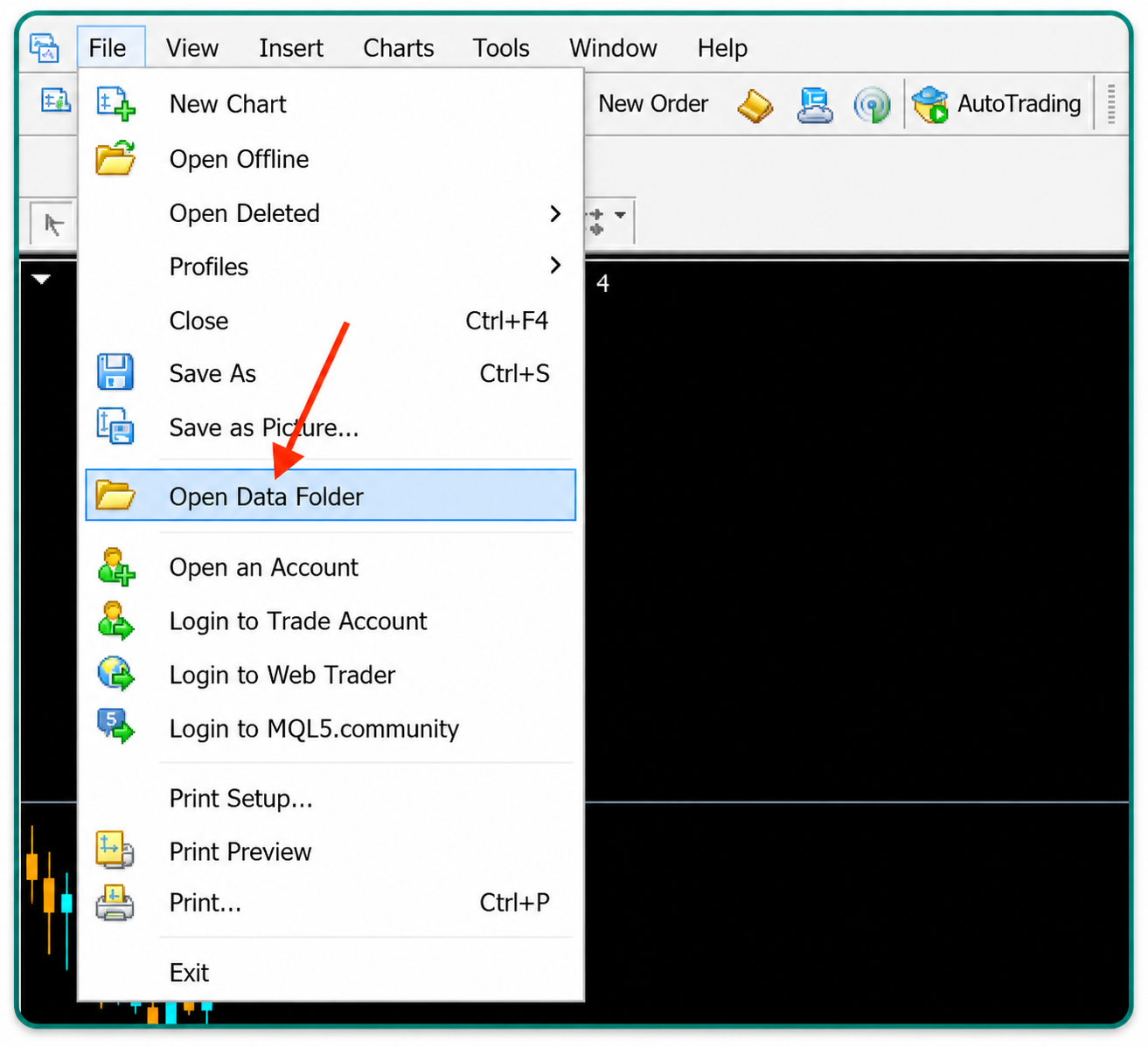
- Then click on the MQL4 folder
Click on File → Open Data Folder
- Next, open the Experts folder
-
Now, paste your copied MT4 bot file here
Then close the folder and go back to your MetaTrader
Click on View → Navigator
Now, right-click on Expert Advisors on the sidebar, click Refresh, and you should see your bot name appear
-
Now, from View → Market Watch, choose your preferred pair based on the market your bot is created for — Gold, Forex, Crypto, or Stocks
Then right-click on the pair and click Chart Window, the chart for that pair will open on your screen
- Navigator
-
In the first tab, named Dependencies in MT5, click on Allow DLL Imports and enable it.
Go to the Inputs tab and enter the license key connected to this account number in the first parameter called “Input Your License Key”

- Go to the Common tab, click on Allow Algo Trading and enable it
- Now, click on OK and let your bot read your license and settings. Then all elements will appear on the bot screen
Now, your bot is “Live” and ready to explore the market and execute trades based on the settings and algorithm you selected during bot creation.